
Best Teacher Web in 2025 [AI Guide]
- Aug 23, 2025
- 4 min read
According to Statista, global spending on education technology is expected to reach $404 billion by 2025, up from $227 billion in 2020. As digital adoption grows, educators increasingly turn to AI-powered web platforms for curriculum planning, personalized student engagement, and productivity enhancement. In today’s hybrid classrooms, educators can no longer rely solely on traditional tools—digital platforms have become essential.
This guide will explore the most effective teacher web platforms in 2025—backed by AI and trusted by thousands of educators. We’ll cover key frustrations, pitfalls to avoid, seven real tools with verified data, a comparison table, a step-by-step checklist, real-world benefits, and professional recommendations based on user needs.
Problem Section:
Despite the rise of digital platforms, many educators are still held back by outdated systems. Common frustrations include:
- Confusing dashboards that waste time instead of saving it
- Limited ability to personalize lesson plans or monitor progress
- Lack of integration with school systems like Google Classroom or Canvas
- Data privacy concerns, especially with student information
- Overhyped platforms that underdeliver without training or support
These issues make it harder for teachers to use digital tools effectively. AI simplifies the process, automating repetitive tasks and giving time back to focus on what matters most—teaching.
Mistakes to Avoid:
Avoid ❌ | Recommended ✅ |
Using generic learning platforms instead of education-specific solutions | Choose tools tailored for K-12 or higher education with built-in features like gradebooks and curriculum management 📚 |
Ignoring data protection compliance | Always check for FERPA and GDPR compliance to ensure student data is safe 🔒 |
Overloading with multiple disjointed tools | Opt for a single, integrated platform or solution that complements your existing district system (e.g., SIS or LMS) 🔗 |
Skipping onboarding or training | Use tools with official certifications or onboarding programs for faster adoption 🎓 |
Following popularity over proven efficacy | Review case studies or academic endorsements to validate claims 📊 |
7 Real Teacher Web Platorm Tools (Mini Reviews):
1. Google Classroom

Essential LMS for schools already within the Google Workspace ecosystem.
Key strength: Seamless integration with Docs, Sheets, and Meet
Avoid: Assuming it handles grading automatically—manual setup still needed
Pricing: Free for education users through Google Workspace for Education Fundamentals
2. Canva for Education
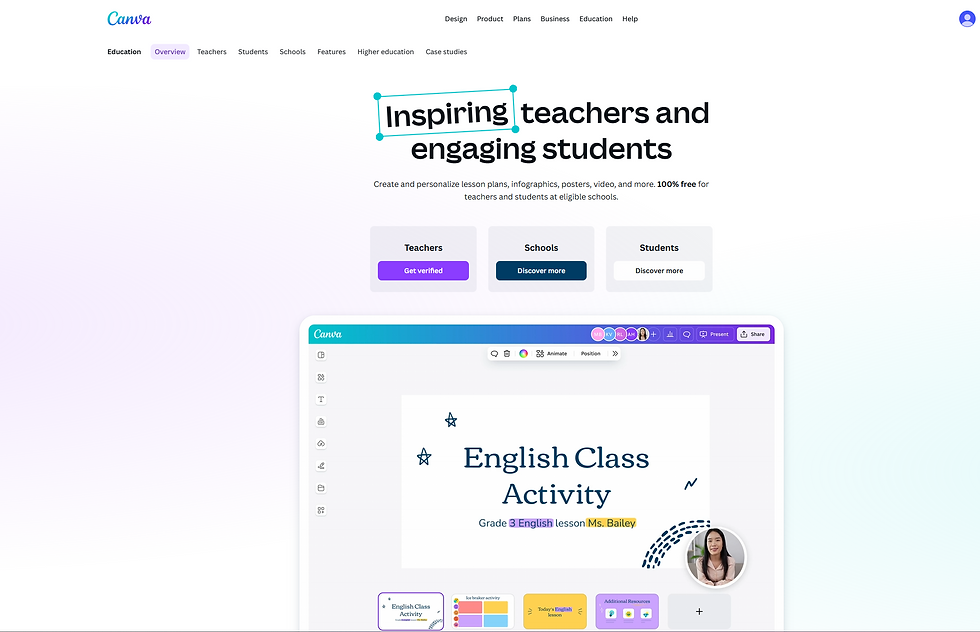
AI-assisted tool perfect for worksheets, presentations, and visual instruction.
Key strength: Drag-and-drop lesson design with templates tailored to K-12
Avoid: Overusing design elements—keep layouts simple and student-friendly
Pricing: 100% free for K-12 verified teachers and schools
Website: https://www.canva.com/education/
3. ClassDojo

Great for classroom behavior tracking and parent communication.
Key strength: Instant feedback loops with parents and positive reinforcement tools
Avoid: Only using it for behavior points—misses community-building features
Pricing: Free for basic use; School-wide paid plans available
Website: https://www.classdojo.com/
4. Nearpod

Lesson engagement tool with VR tours, quizzes, and real-time analytics.
Key strength: Interactive presentations that keep students engaged
Avoid: Skipping post-session reports—valuable for learning documentation
Pricing: Free plan available; Premium plans start at $159/year per teacher
Website: https://nearpod.com/
5. Wakelet

Collaborative content-curation platform for digital portfolios and multimedia lessons.
Key strength: Flexible collections of videos, PDFs, and interactive content
Avoid: Not organizing collections into topics—leads to cluttered student experiences
Pricing: Free for educators
Website: https://wakelet.com/
6. Kami
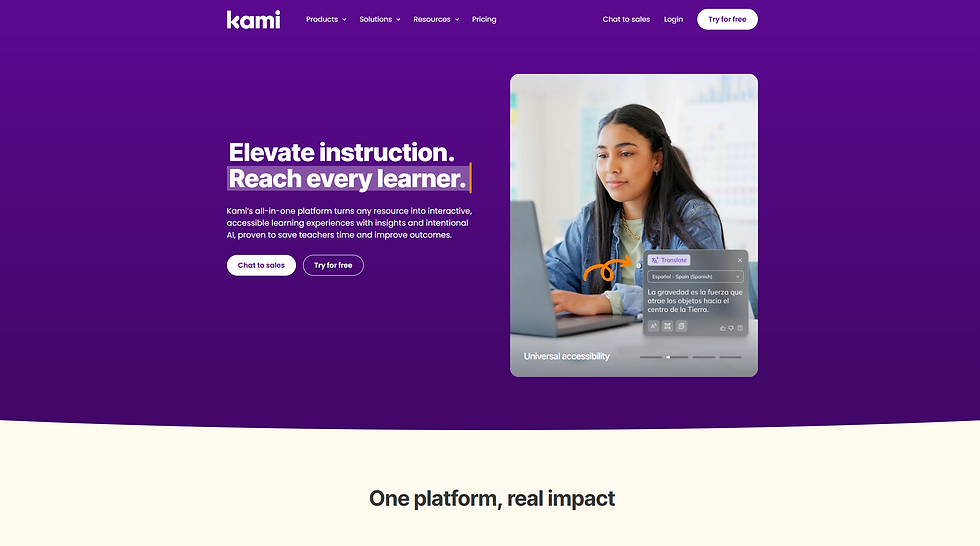
All-in-one PDF markup and collaboration platform ideal for hybrid learning.
Key strength: Real-time document annotation across different devices
Avoid: Forgetting to enable OCR for scanned documents
Pricing: Free version available; Teacher Premium starts at $99/year
Website: https://www.kamiapp.com/
Educational Tools Comparison Table
Tool | Focus | Key Features | Privacy Compliance | Pricing |
Google Classroom | LMS Integration 📚 | Assignments, grading, Google Workspace sync 📎 | FERPA, COPPA ✅ | Free 💸 |
Canva for Education | Visual Teaching Tools 🎨 | Templates, collaboration, classroom folders 📂 | FERPA, COPPA ✅ | Free for K-12 🎉 |
ClassDojo | Classroom Management 😊 | Behavior tracking, parent communication 📢 | FERPA, COPPA ✅ | Free + Premium 💳 |
Nearpod | Interactive Lessons 🧠 | Live quizzes, VR field trips, post-session reports 📊 | FERPA, COPPA, GDPR ✅ | Free + $159/year 💵 |
Wakelet | Content Curation 📚 | Multimedia portfolios, team collaboration 🤝 | GDPR, COPPA ✅ | Free 🎈 |
Kami | PDF/Document Tools 📝 | Annotations, LMS integrations 🔗 | FERPA, COPPA, GDPR ✅ | Free + $99/year 💲 |
Secret Method or Checklist
Use this 5-step checklist to pick the ideal teacher web tool:
- Define your core classroom goals (e.g., collaboration, grading, or engagement)
- Ensure compatibility with your school’s existing system (e.g., Google Workspace or Microsoft)
- Prioritize tools with proven adoption in your school district or location
- Verify data compliance (FERPA is a must for U.S. schools)
- Test the platform using a free trial or sandbox classroom
Results or Scenarios:
Educators using these tools can expect significant improvements:
- Save up to 6 hours per week by automating grading and feedback (source: McKinsey)
- Boost student engagement by over 30% using interactive tools like Nearpod
- Improve parent-teacher communication response time by 50% with ClassDojo
- Streamline lesson prep with Canva templates—trackable increase in prep workflow speed
Try It Yourself :
Best for Beginners:
Google Classroom — Intuitive and integrates well with existing Google services. Free to use.
Best for K–12 Teachers:
ClassDojo — Perfect for building classroom culture and connecting with parents. Free with optional premium plans.
Best for Advanced Users:
Nearpod — Deep engagement features and real-time analytics for high-level lesson delivery. Free and paid options.
Final Thoughts:
The digital transformation of education is no longer optional. In 2025, teachers need AI-optimized platforms that work in harmony with their classrooms, not against them. By choosing tools that align with your goals, respect student privacy, and simplify daily operations, you position yourself—and your class—for success.
Pro tip: Start with one platform and master it before adding new tools. Quality of integration outperforms quantity of features every time.
![Best Real Estate Tools For Homebuyers in 2025 [AI Guide]](https://static.wixstatic.com/media/4c7dbe_5e649ab8f58046c48769a6661fa16814~mv2.png/v1/fill/w_980,h_604,al_c,q_90,usm_0.66_1.00_0.01,enc_avif,quality_auto/4c7dbe_5e649ab8f58046c48769a6661fa16814~mv2.png)

![Best AI Answer Generator Picture in 2025 [AI Guide]](https://static.wixstatic.com/media/4c7dbe_77bede89101746aea941a5e45449e7ac~mv2.png/v1/fill/w_980,h_473,al_c,q_90,usm_0.66_1.00_0.01,enc_avif,quality_auto/4c7dbe_77bede89101746aea941a5e45449e7ac~mv2.png)
Comments